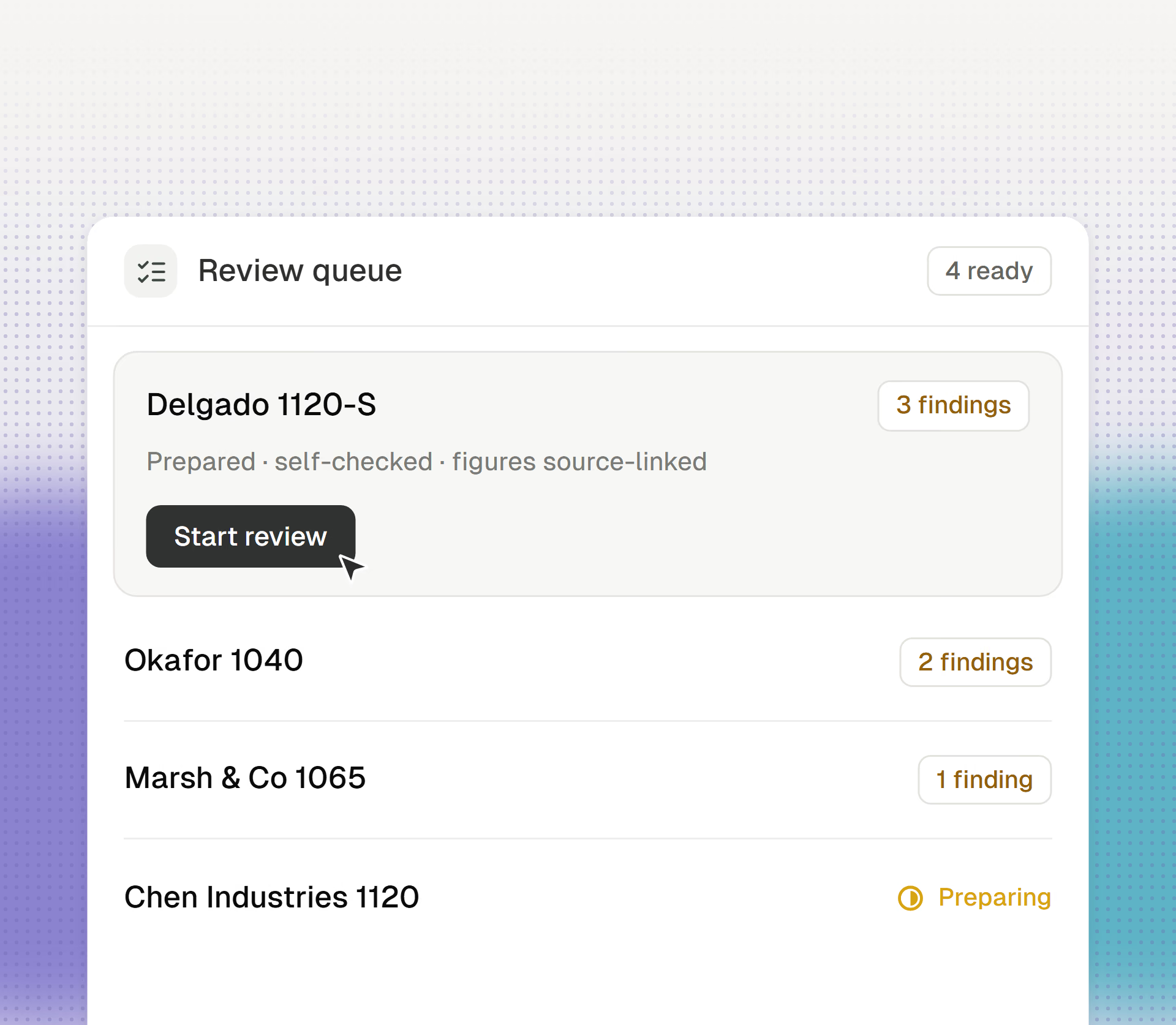
Staff Review Queues
Cranston lines up prepared work with findings attached, so your reviewers start at the judgment.
Cranston reads the prior-year return and creates the client profile, carryovers, and first document request list.
Get started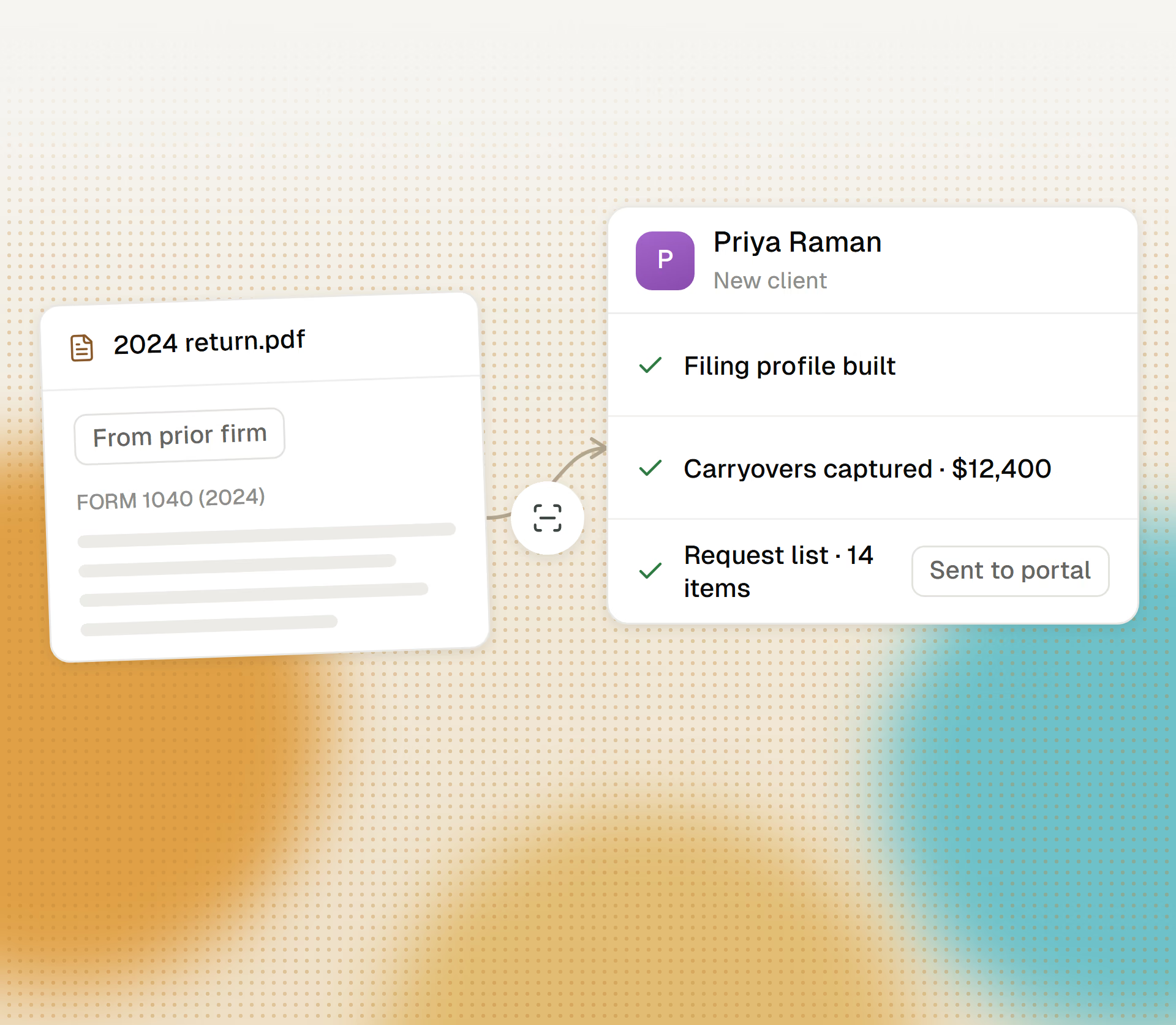
From signed engagement to prepped client.
Cranston reads and extracts the full PDF of last year’s return, whether it came from H&R Block, another firm, or anywhere else.
Cranston builds the entity details, filing profile, carryovers, and expected forms from the prior-year return.
Cranston generates a document request list from the client’s actual situation and emails it to the client.
Cranston sets up the client in your tax software, ready for this year’s work.
Cranston lines up prepared work with findings attached, so your reviewers start at the judgment.
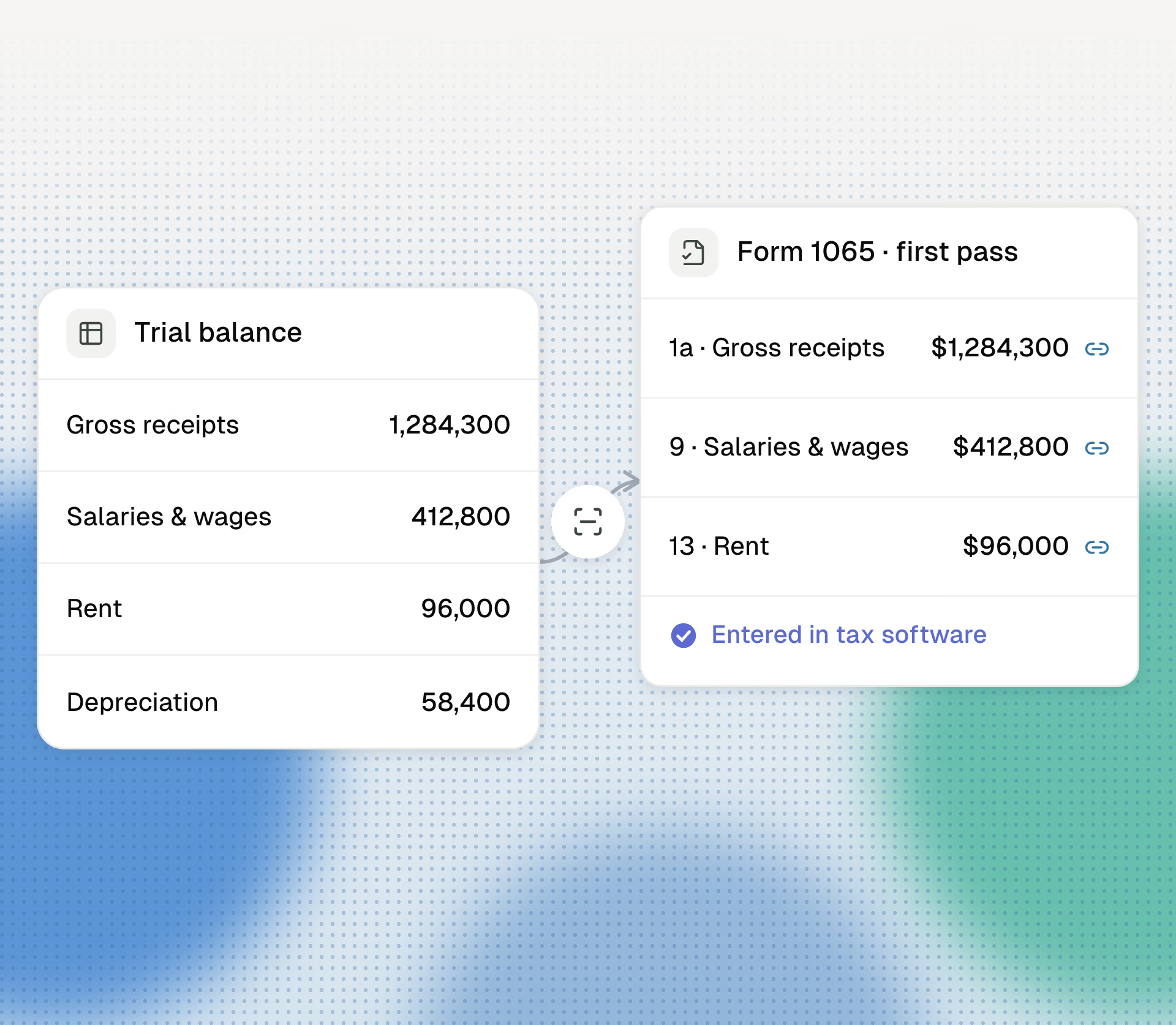
Books-to-return for 1065s and 1120-S. Trial balance in, first pass out.
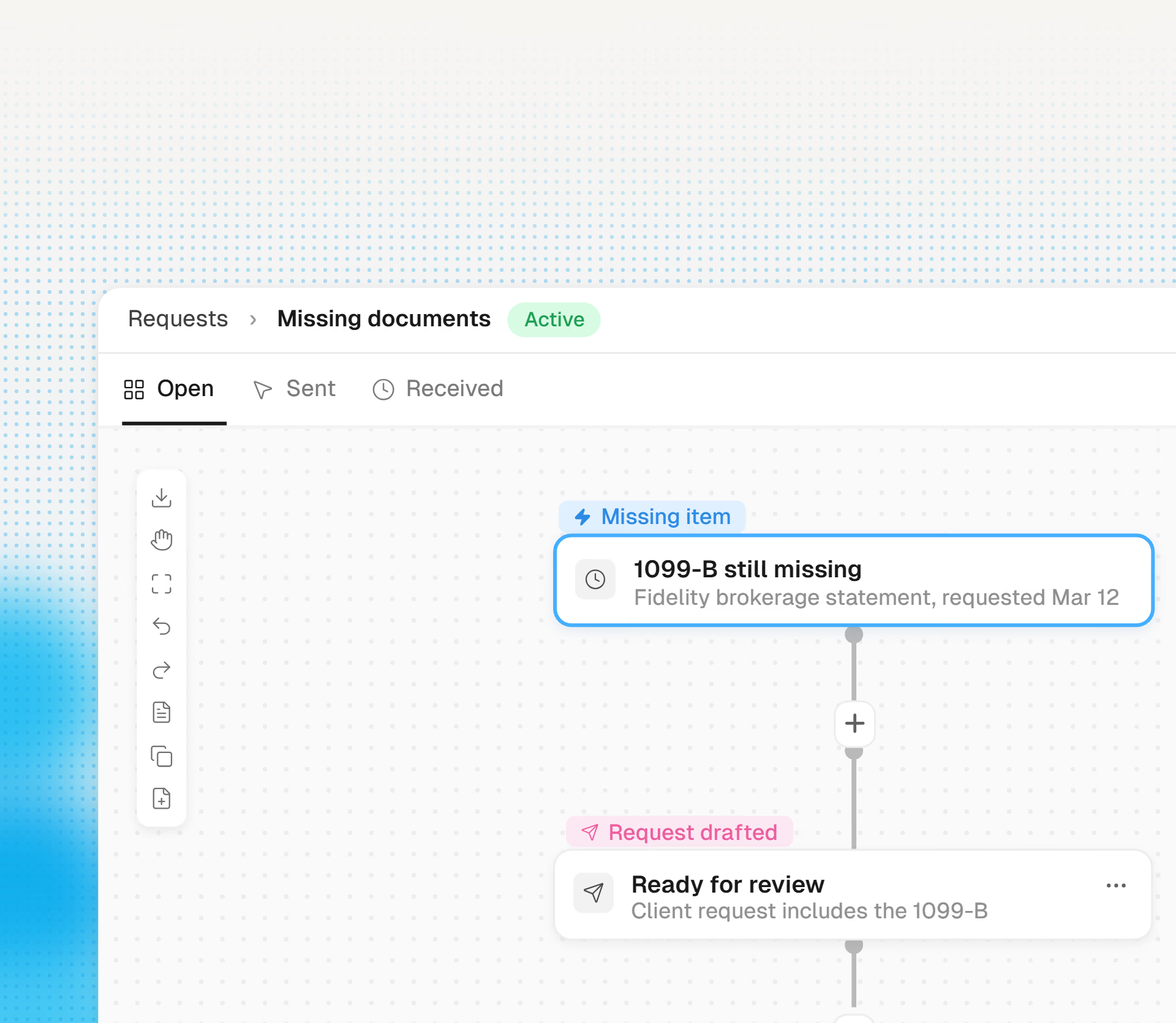
Cranston builds request lists from last year and sends them before the season starts.