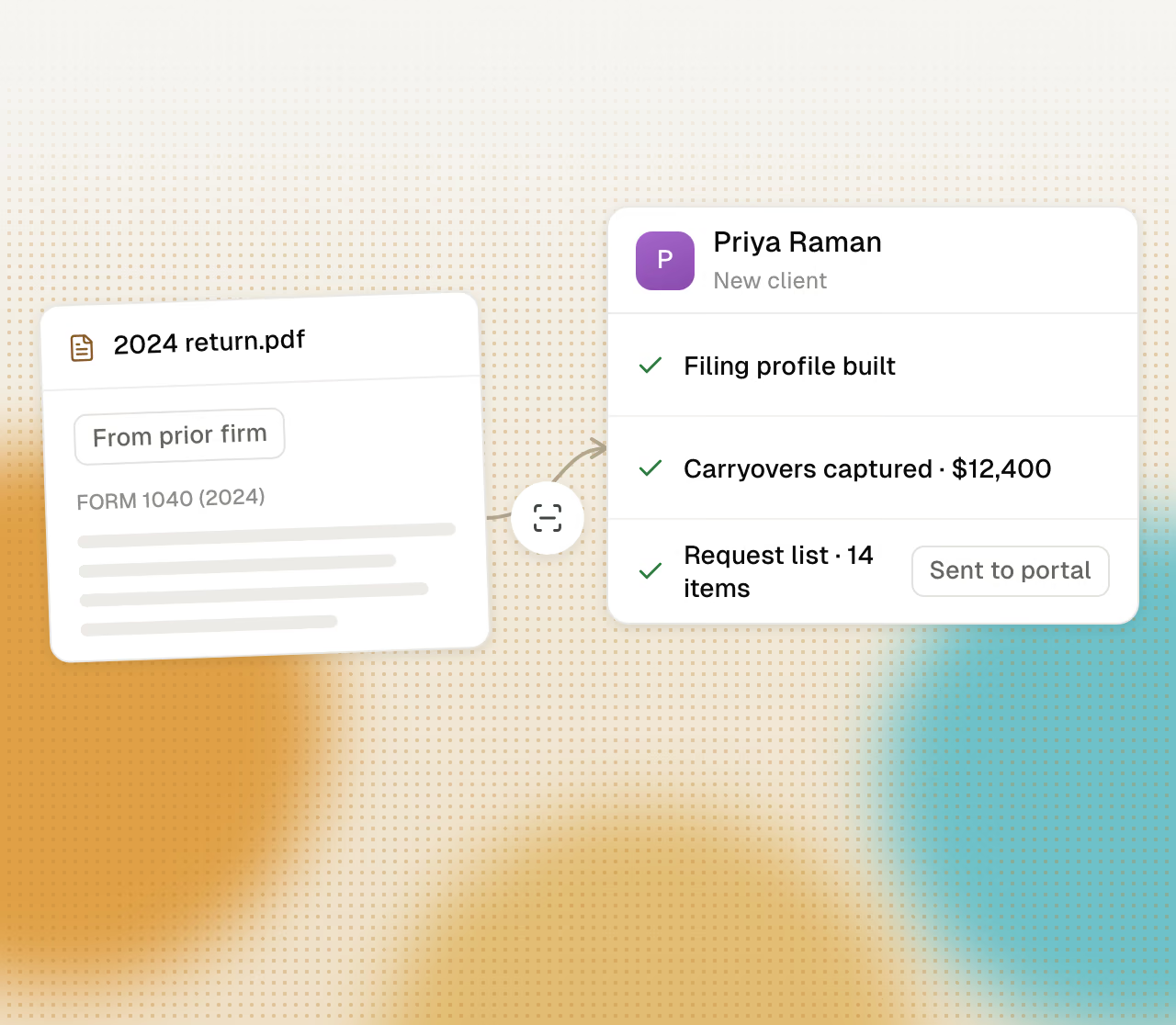
Cranston starts from the client’s return
Cranston opens the client’s prepared return, prior-year PDFs, and notes. It knows the filing status, the income mix, and the carryforwards before it suggests anything.
Ask what an S corporation election, a Solo 401(k), or a move to Texas is worth for a client. Cranston copies the client’s return, makes the change, and calculates it in your tax software. You see the difference line by line before you say a word to the client.
Get started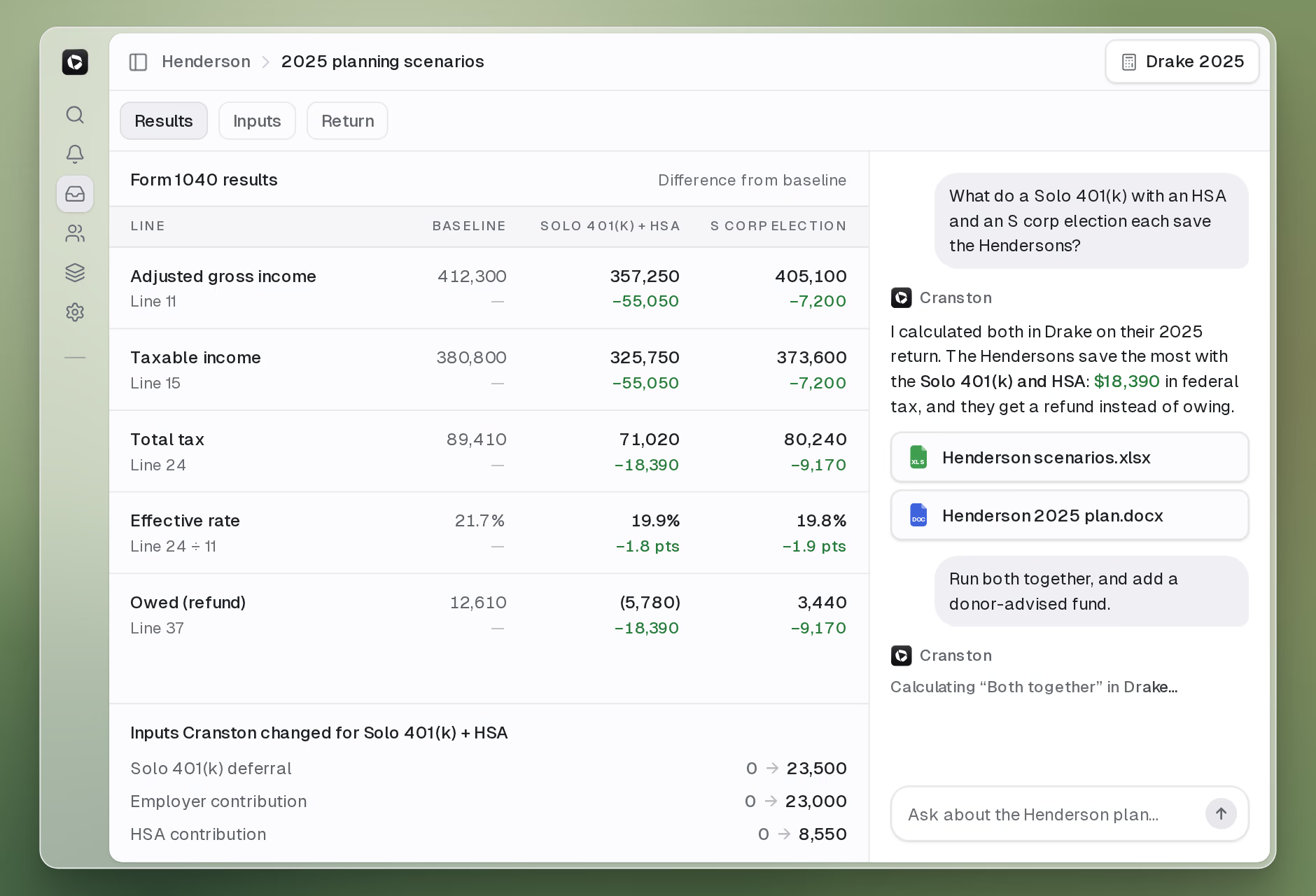
Cranston takes the steps a planner takes with a spreadsheet and a free afternoon, while you finish the email to the client.
Cranston opens the client’s prepared return, prior-year PDFs, and notes. It knows the filing status, the income mix, and the carryforwards before it suggests anything.
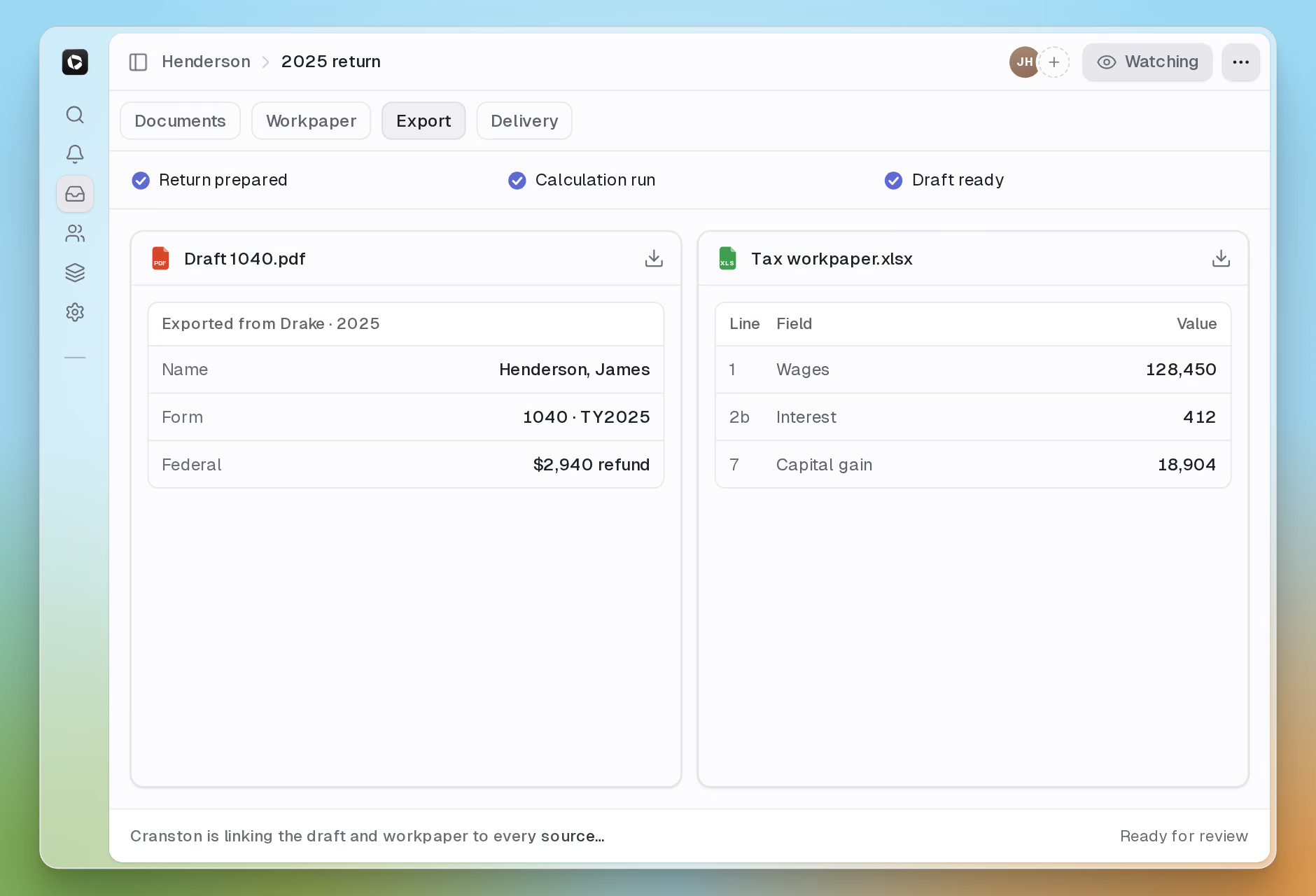
Cranston copies the return into a scenario, changes the inputs, and calculates the result in your Drake, Lacerte, UltraTax, or ProSeries program. Cranston never touches the client’s real return.
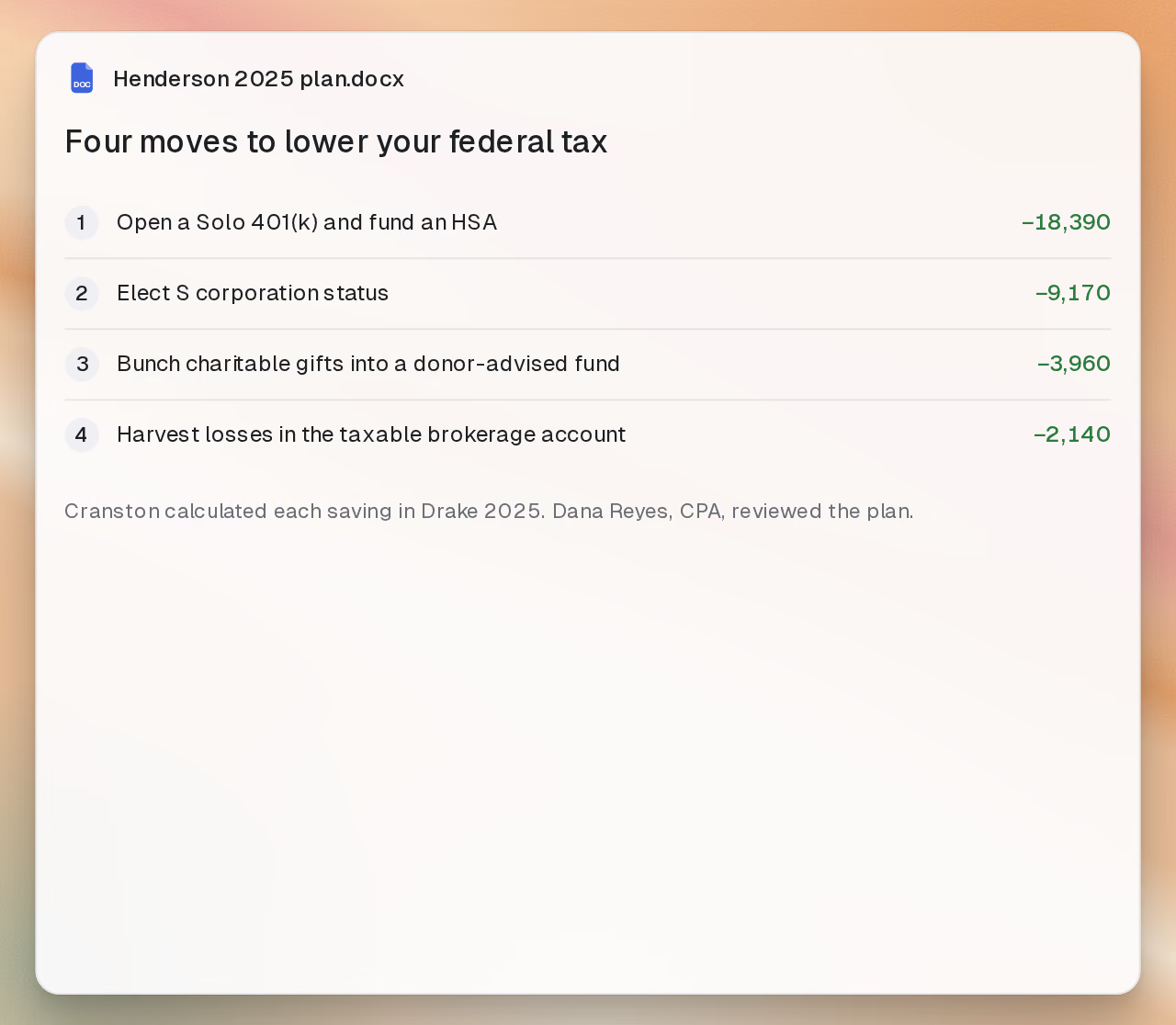
Cranston writes a side-by-side of every scenario, a workbook with the inputs it changed, and a one-page summary in plain English. You review the plan and decide what the client sees.
From the first “what if” to the plan you send the client.
Cranston builds every scenario from a copy of the client’s actual return, not a rough estimate. Change a box, calculate, and compare against the baseline.
Cranston runs the math in Drake, Lacerte, UltraTax, or ProSeries, on the same program and tax year you prepared the return in, and names the program next to every result.
Adjusted gross income, taxable income, total tax, effective rate, and refund or balance due for every scenario, with the difference from baseline and the inputs Cranston changed.
High-net-worth families, S corporation owners, retirees, real estate investors, the self-employed, equity compensation, selling a business, moving states, and more. For each one, Cranston knows the strategies, the traps, and what to check.
Cranston writes a comparison table, an Excel workbook with one tab per scenario, and a Word summary for the client. For retirement plans, it runs a Monte Carlo check of whether the savings last.
Cranston never exports a scenario to your tax software, never files it, and never overwrites the client’s return. You plan beside the return, not on it.
Cranston calculates each scenario on a copy of the return. You choose what to recommend and what the client sees.
Cranston starts from the client’s prepared return, prior years, and notes.
Cranston changes the inputs on a copy, never on the real return.
Cranston calculates each scenario in Drake, Lacerte, UltraTax, or ProSeries.
Cranston writes the comparison, the workbook, and the client summary.
You choose which strategies to test for the client.
You compare each scenario with the baseline.
You decide which moves fit the client.
You walk the client through the plan.
Use each product on its own or together, on the same client data.