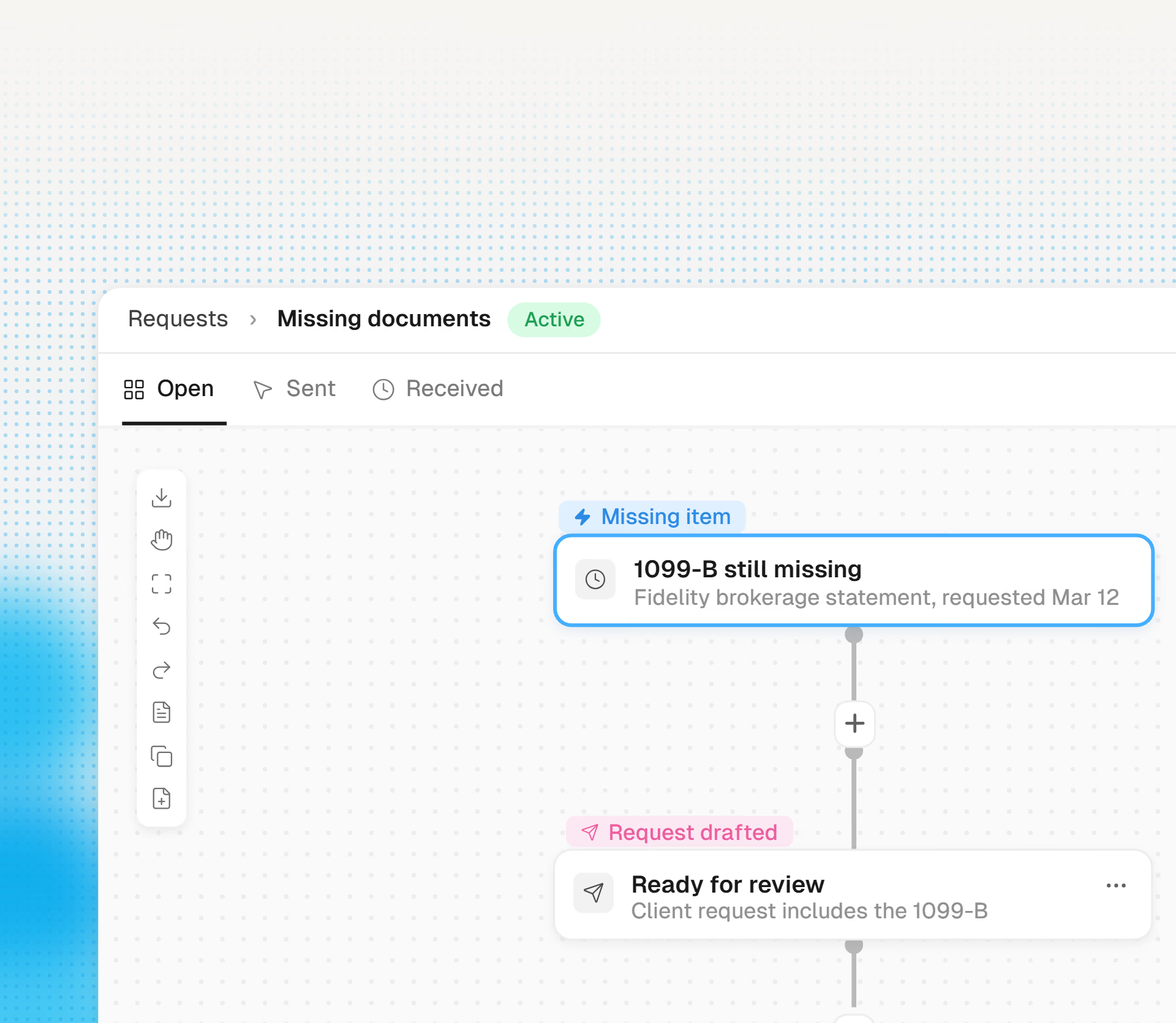
Missing Doc Chaser
Cranston drafts the follow-up email and puts a secure upload link inside.
Cranston links every figure in the workpaper back to the page it came from and puts last year alongside for comparison. You open a return that is ready for review.
Get started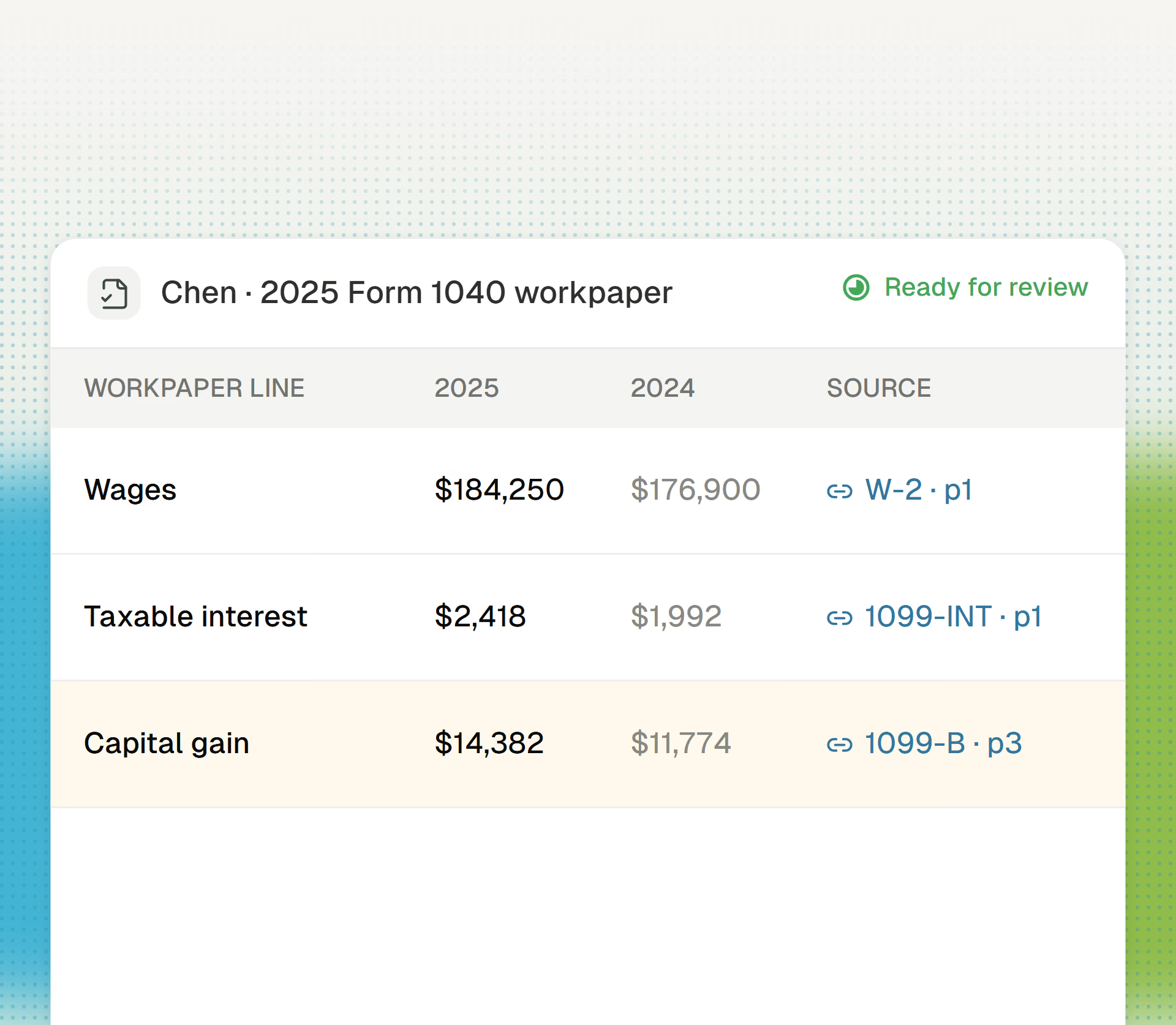
The assembly you used to do by hand.
W-2s, 1099s, K-1s, brokerage statements. Cranston identifies and extracts every page.
Cranston maps each amount to its form and line and keeps a live link to the exact source page behind it.
Cranston shows prior-year amounts next to this year’s, so you spot a mortgage statement from the wrong year immediately.
Cranston lists anything it cannot verify or find as a finding: the four or five things that actually need your judgment.