1040 Workpapers
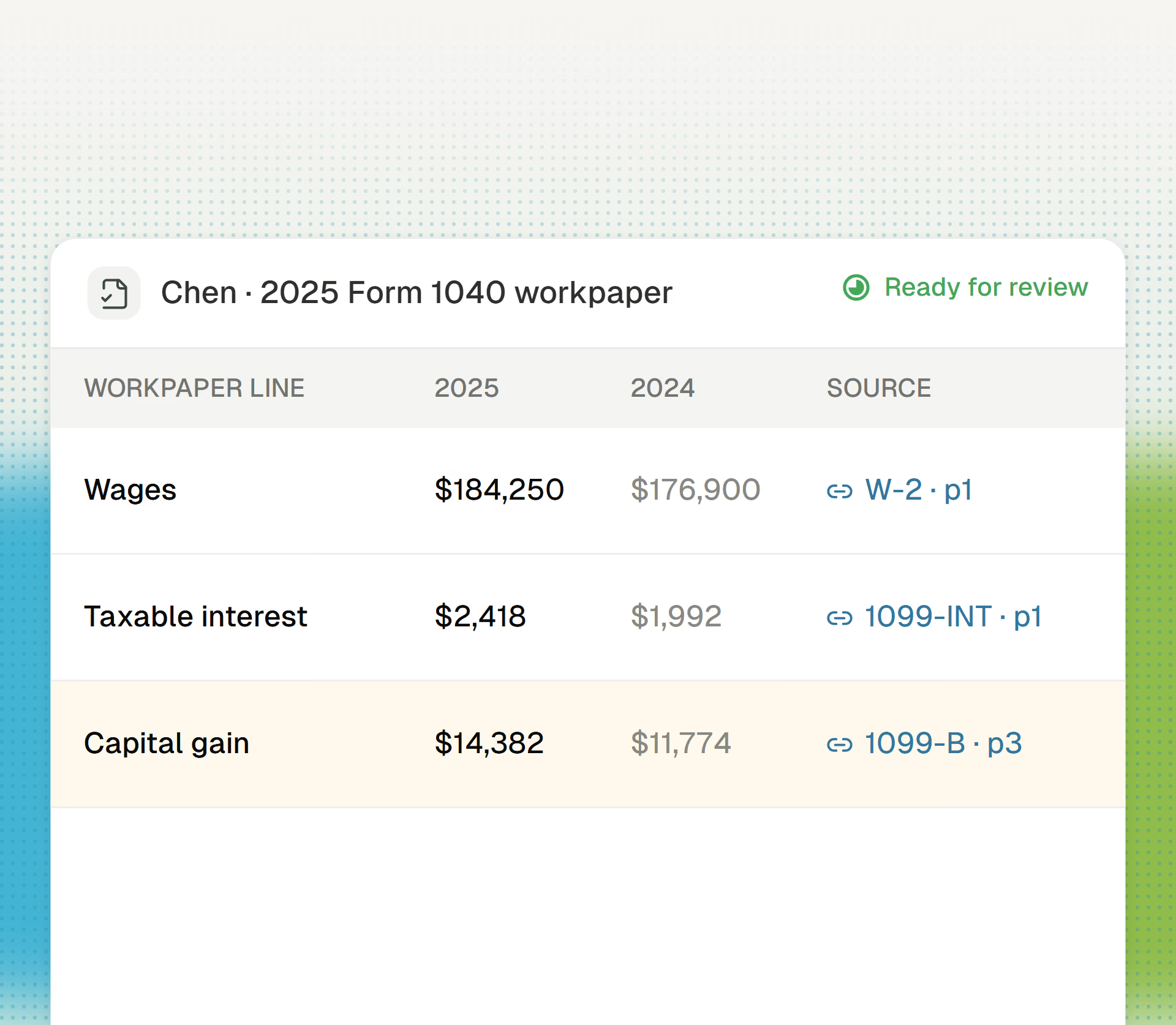
Cranston assembles indexed, source-linked workpapers from the client package.
Solo practitioners spend many busy-season hours requesting documents. Cranston identifies each missing item, drafts the request, and reads the response.
Get started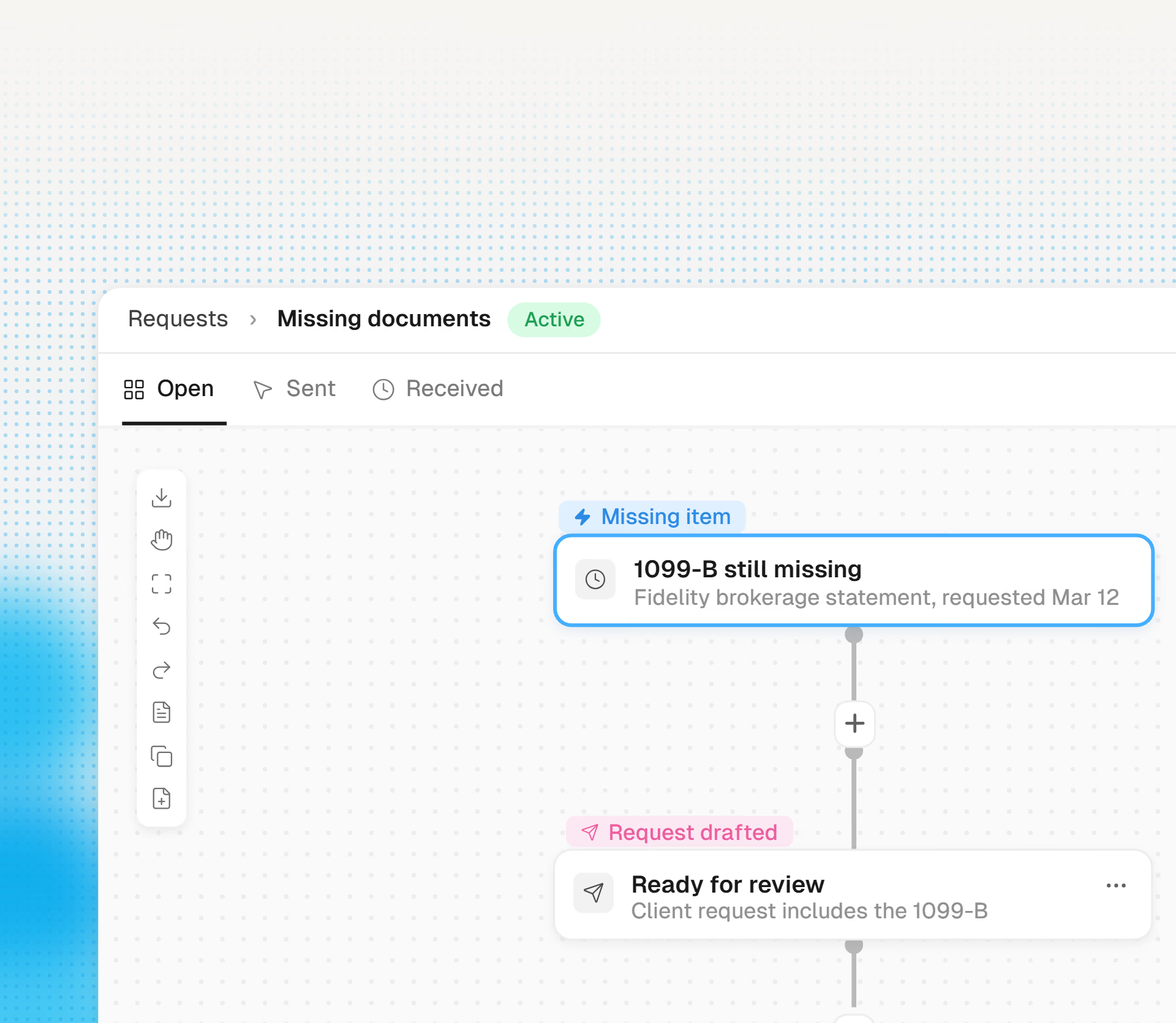
From missing item to complete package, without your inbox in the middle.
Cranston compares the prior-year return with this year’s workpaper to find what is missing: the second W-2, the brokerage 1099, the K-1 that is always late.
Cranston drafts the follow-up in your firm’s voice, lists exactly what the client needs to send, and adds a secure upload link. You send it in one click.
Cranston extracts uploads and attachments and checks them off the list. If the client asks a question in the reply, Cranston brings it to you.
You see each missing item and the client who owes it in one view. You do not need to search the inbox.